One session, one small goal
Before you start, choose what will give the run a thread: exploring a loop, holding a comfortable pace or revisiting a route you know. You don’t need to chase a record every time. A destination can be enough to give meaning to the time on the belt.
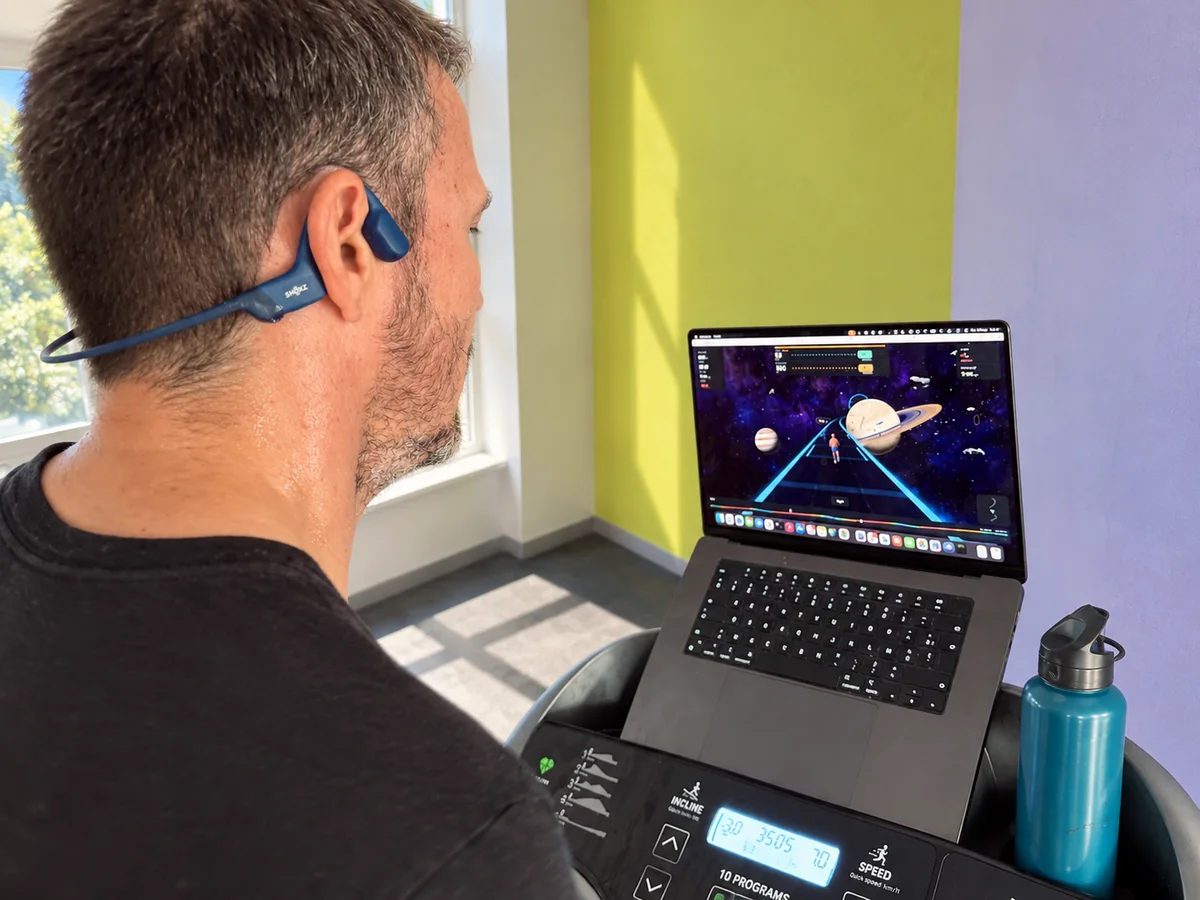
Music, a podcast or a video can also keep you company. Virtual running adds something else: the route becomes the backbone of the session and the avatar a visual cue. Choose according to how much attention you want to give the screen, and keep the treadmill controls within reach.
What a virtual running game changes
In Runkyz, your avatar runs along a 3D route with bends, hills and scenery to discover. A pacer runs alongside. The game shows speed and incline targets that follow the terrain.
The current version works with manual settings. You copy the targets onto your console; the game does not read the treadmill’s real speed over Bluetooth. The times and records shown in Runkyz describe the game session and are not an independent measurement of your effort.
Running with your double
A pacer is a virtual companion that gives you a pace reference. You set its speed or a reference effort, and seeing it ahead of you or behind you makes the comparison visible along the route.
With a GPX track that includes timestamps, Runkyz can also replay a recorded run: the pacer follows the progress of that outing. It’s a way to revisit a familiar workout. It is not an online multiplayer race.
Import a route that matters to you
With the license, import a GPX file exported from Garmin Connect or Strava. Check that the file contains the track and elevation. Timestamps are only needed to replay the run with the pacer.
Runkyz rebuilds the track and its terrain in a 3D environment. The scenery is generated: buildings and landscapes are not a photographic copy of the original place. Desert and Wild Ring are free up to 10 km. The license unlocks Space, distances over 10 km and your GPX imports.
Preparing your first run at home
Place the screen so you can see both the game and the treadmill console. Enter your machine’s limits in the app, then choose a route and a familiar pace. Take time to understand the targets before you start a climb.
Runkyz shows speed in km/h. If your console displays mph, check whether it can switch to km/h; if not, convert as you go (10 km/h is about 6.2 mph).
At the end, ask yourself what made you want to keep going: the scenery, the pacer or the route. That’s a good starting point for choosing your next session.
DISCOVER RUNKYZ
A game for your treadmill runs.
Discover Runkyz’s worlds, its routes and its virtual pacer.
Explore the game