Three meanings of “smart”
Put the question to the seller in these terms: does the treadmill send its speed to an app, and can an app control it?
| Function | What it does | Question to ask | Useful for Runkyz |
|---|---|---|---|
| Media | Plays audio, connects a screen | Is Bluetooth only for audio? | No |
| Sending data | Sends speed, sometimes incline, to an app | Which data, to which apps? | Optional, on Android: Runkyz follows an FTMS treadmill; otherwise you set the targets yourself |
| Control | Lets an app set speed or incline | Is control open to third-party apps? | No: Runkyz never controls the treadmill |
FTMS: the protocol to look for in the manual
FTMS, short for Fitness Machine Service, is the standard Bluetooth protocol for fitness equipment. Seeing it listed tells you more than the word “smart”: it means the treadmill speaks a language apps share.
Compatibility has two sides. An FTMS treadmill is no use if the app doesn’t read that protocol, or doesn’t use the feature you care about.
Further reading: Bluetooth SIG — Fitness Machine Service ↗
App control is kept on a short leash
Letting an app change a treadmill’s speed is a safety question: a wrong target can make the runner fall. Manufacturers restrict that control. Testing a Technogym treadmill in 2023, DC Rainmaker noted that Zwift read the speed but changed neither incline nor pace: Technogym requires apps to be certified, and Zwift hadn’t applied.
Control does exist, case by case: iFIT sets speed and incline on NordicTrack and ProForm treadmills, and Kinomap adjusts incline on compatible equipment.
Further reading: DC Rainmaker — Technogym MyRun review ↗
A treadmill that isn’t connected can be enough
Without a smart treadmill, a sensor can bridge the gap: a foot pod on your shoe, like the RunPod Zwift sells, or a watch. The app then reads your stride instead of the belt.
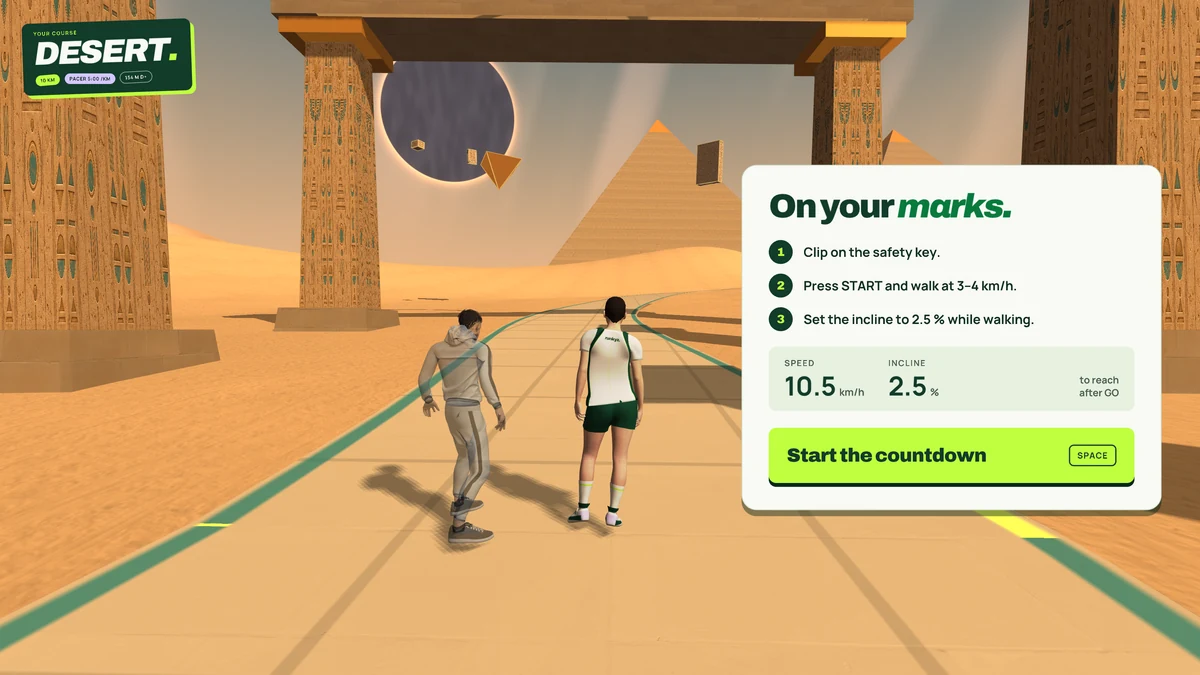
Runkyz works without any of this. The game shows the targets, you set them on the console, and safety stays in your hands. If your treadmill speaks FTMS, the Android version can also follow its real speed and incline: it only reads them, it never sends a command.
Check a treadmill in four steps
If you’re buying a treadmill for a specific app, run these checks before you pay:
Note the exact model
Write down the full model reference from the product page or the manual: two versions of the same treadmill don’t always have the same connectivity.
Look for FTMS in the documentation
If it isn’t listed, the treadmill may still be compatible, but you’ll need it confirmed.
Check the app’s list
Zwift and Kinomap publish lists of compatible equipment: look for your exact model.
Ask for written confirmation
Have the seller or manufacturer confirm the model, the app and the function you expect: sending speed or control.
Sources: Kinomap — Compatible equipment ↗ · Zwift — Running on Zwift ↗
IN RUNKYZ
Runkyz doesn’t need Bluetooth.
The game shows the targets and you set them on your treadmill, smart or not.